 ByteQuay
 Lab
Build it. Measure it.
Know what helps.
See what your agents use, test what guides them, and find out which changes earn their place.
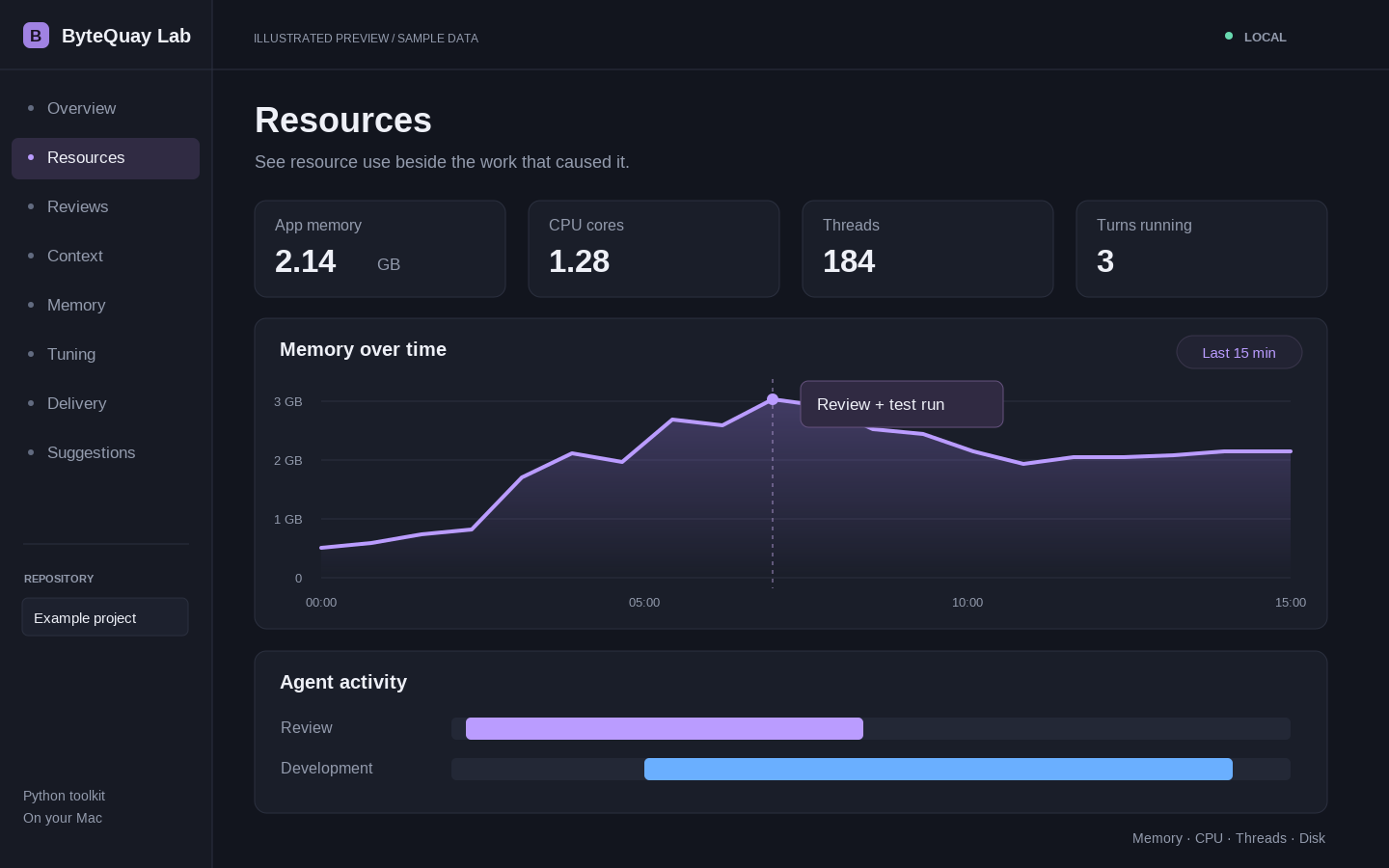
01 / Resources
See the cost of the work.
Memory, CPU, and agent activity on one timeline. Find the spike. See what was running.
Resource guide →02 / Skills & review guidance
Does the guidance
make a difference?
Compare review rules on the same frozen cases. Inspect what was found, missed, and worth another look.
Experiment guide →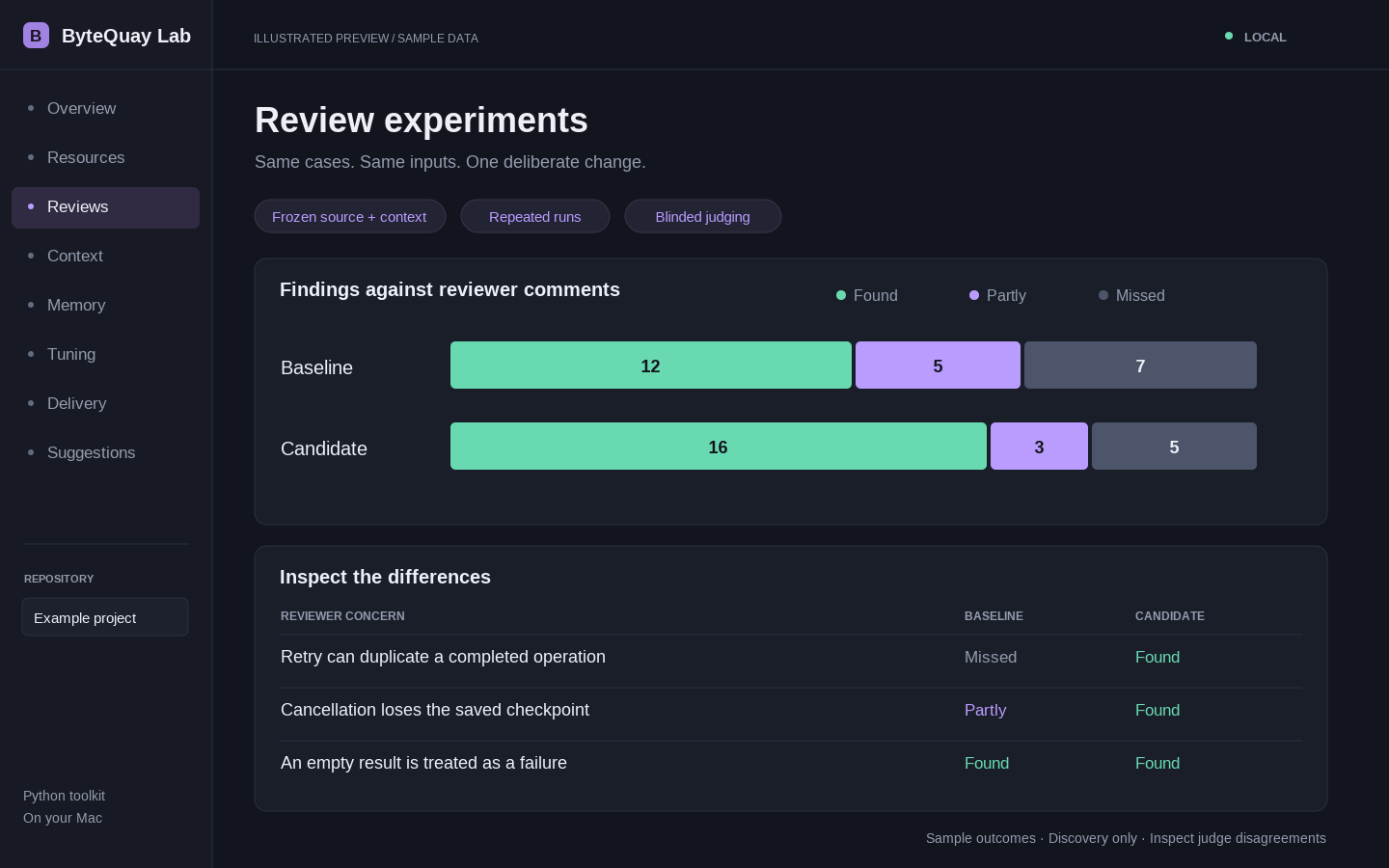
03 / Rules improvement
Let the rules
try to improve.
The Lab’s agent writes new review rules from how earlier reviews went, never from their scores. It tries them, keeps what the runs support, and checks the result on cases it never saw. You decide what ships.
Improvement guide →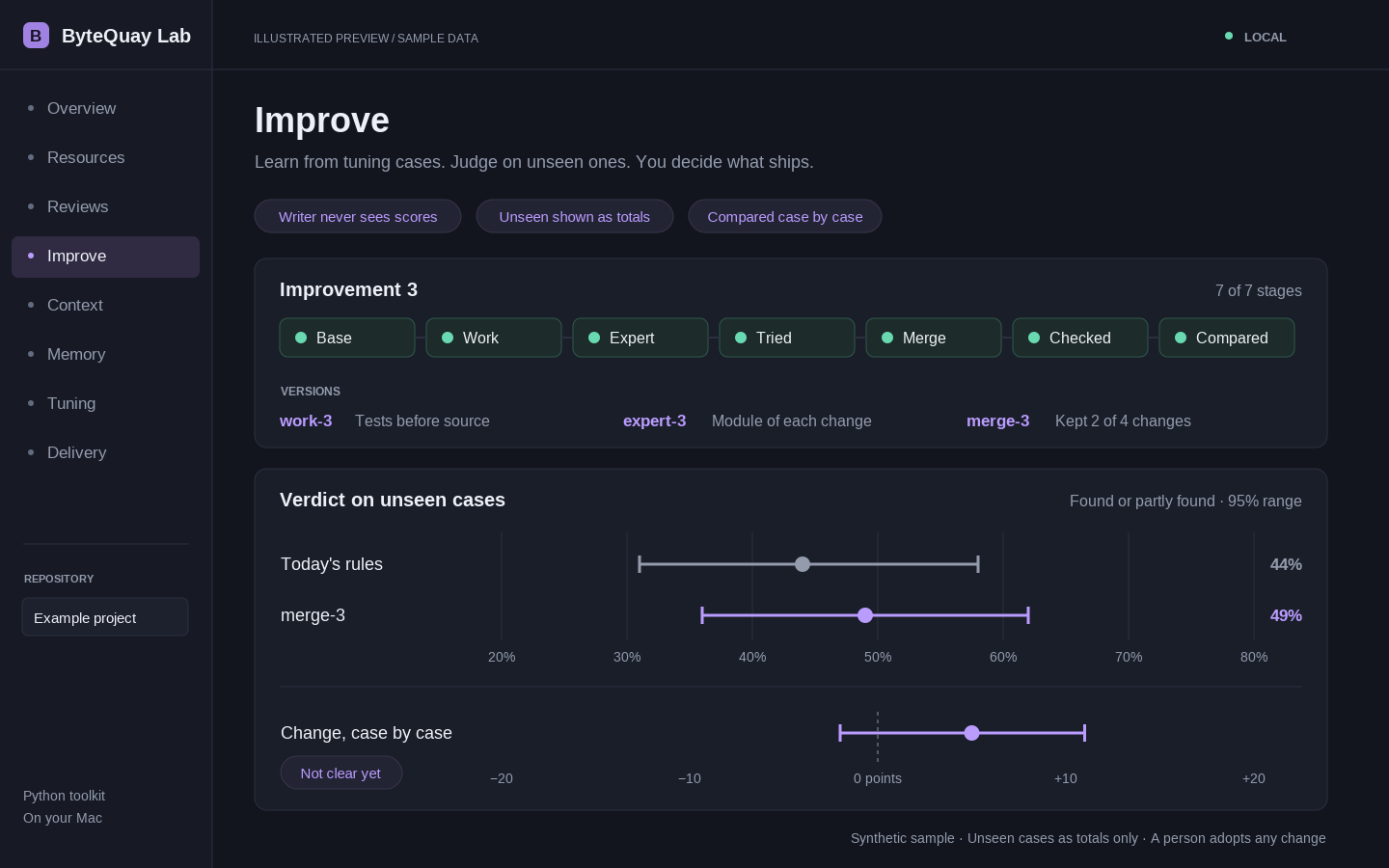
04 / Context & memory
Every token
should have a reason.
Follow context growth across calls. Find the outputs that keep getting sent, and the memories that findings cite.
Context guide →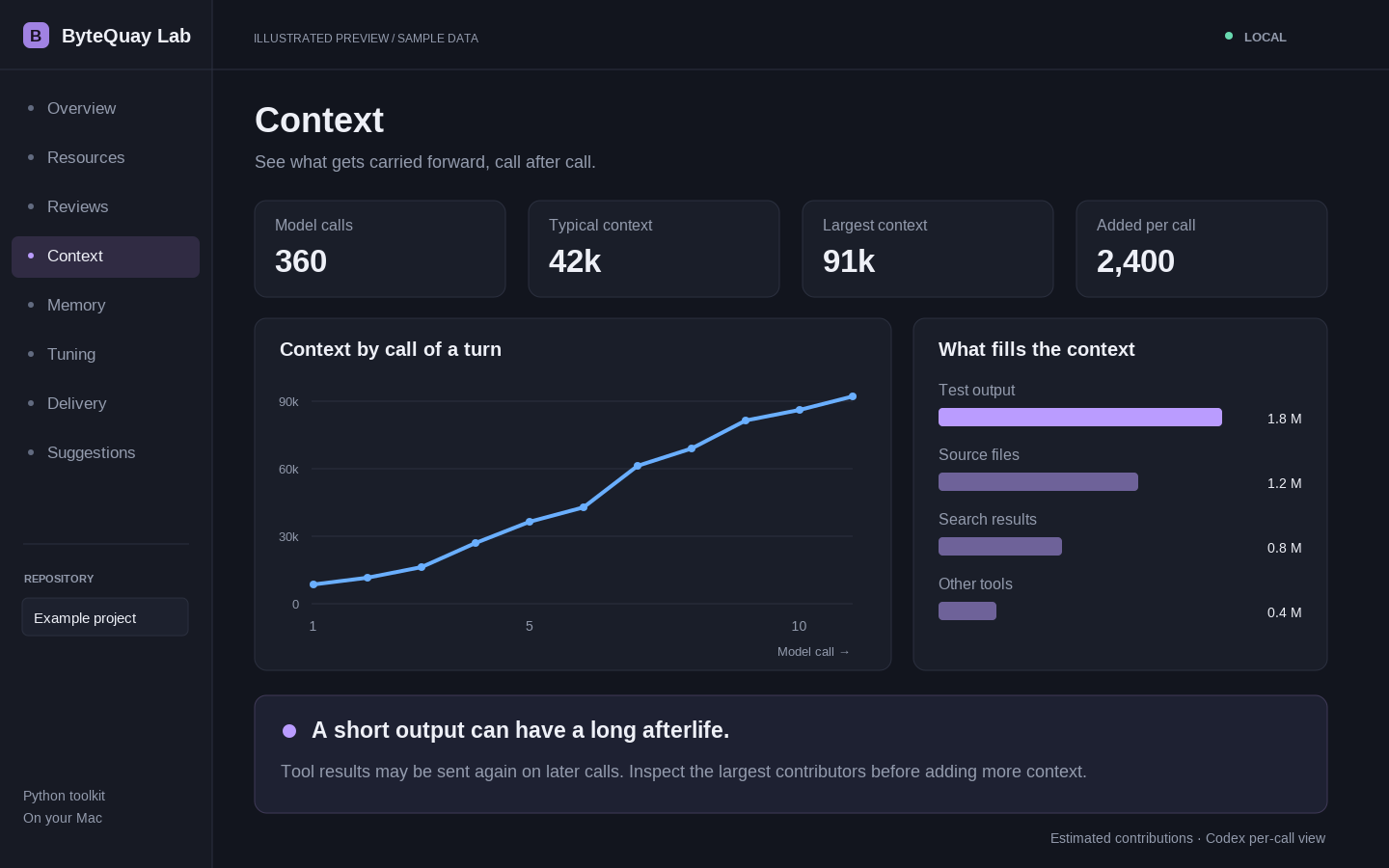
05 / Guidance & follow-up
Make a change.
See what follows.
Record the decision. Compare similar work before and after. Keep “not clear yet” as an honest answer.
Follow-up guide →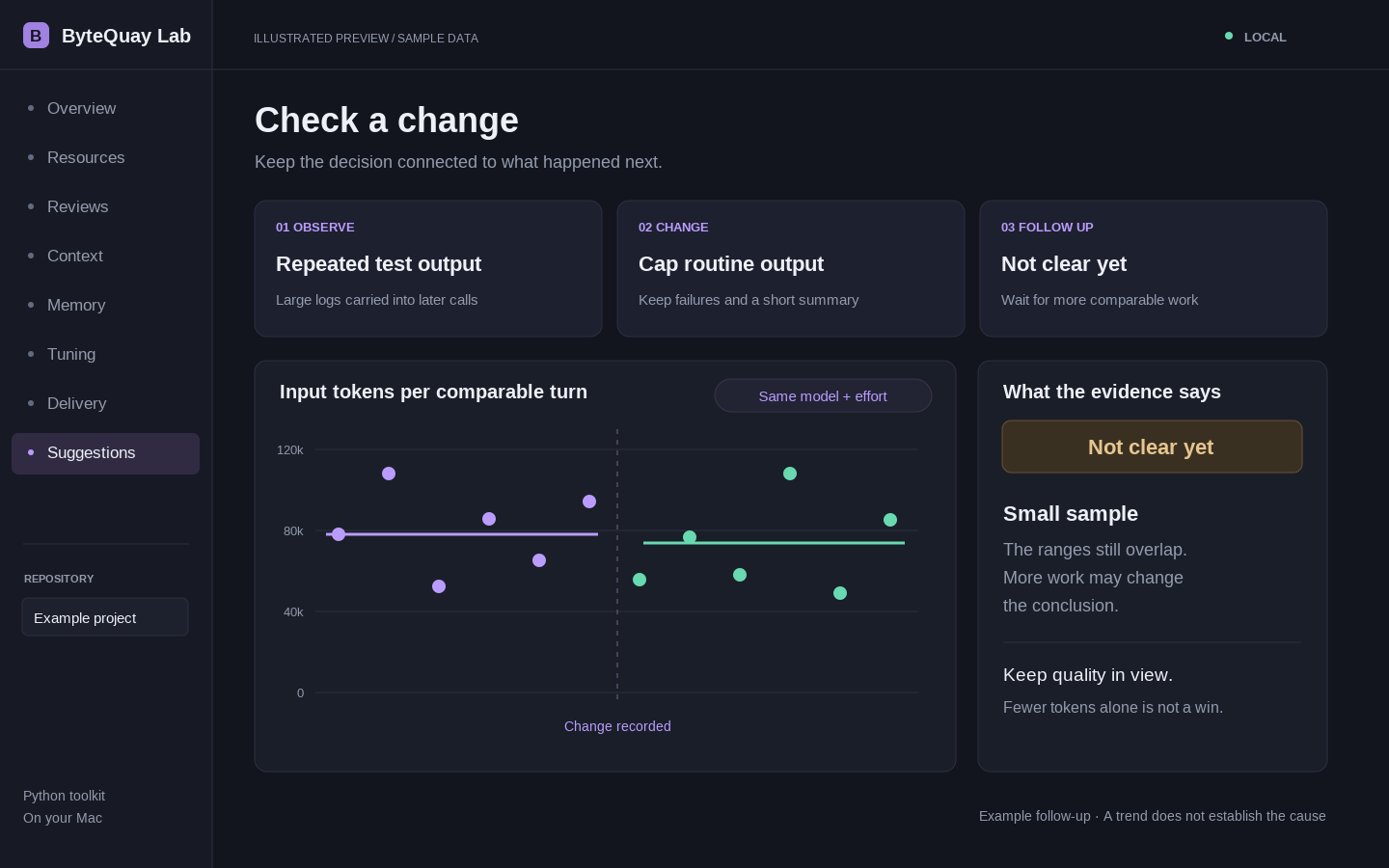
Python toolkit. Local dashboard.
Your work.
Your evidence.
Analysis and saved results stay on your Mac. Every step runs from a button. Optional model experiments use your configured providers.